GuideLLM Benchmark Testing Best Practice
Do first easy-go guidellm benchmark testing from scratch using vLLM Simulator.
Getting Started
📦 1. Benchmark Testing Environment Setup
1.1 Create a Conda Environment (recommended)
1.2 Install Dependencies
For more detailed instructions, refer to GuideLLM README.
1.3 Verify Installation
1.4 Startup OpenAI-compatible API in vLLM simulator docker container
docker pull ghcr.io/llm-d/llm-d-inference-sim:v0.4.0

docker run --rm --publish 8000:8000 \
ghcr.io/llm-d/llm-d-inference-sim:v0.4.0  \
--port 8000 \
--model "Qwen/Qwen2.5-1.5B-Instruct"  \
--lora-modules '{"name":"tweet-summary-0"}' '{"name":"tweet-summary-1"}'
For more detailed instructions, refer to: vLLM Simulator
Docker image versions: Docker Images
Check open-ai api working via curl:
- check /v1/models
- check /v1/chat/completions
curl --request POST 'http://localhost:8000/v1/chat/completions' \
--header 'Content-Type: application/json' \
--data-raw '{
    "model": "tweet-summary-0",
    "stream": false,
    "messages": [{"role": "user", "content": "Say this is a test!"}]
}'
- check /v1/completions
curl --request POST 'http://localhost:8000/v1/completions' \
--header 'Content-Type: application/json' \
--data-raw '{
    "model": "tweet-summary-0",
    "stream": false,
    "prompt": "Say this is a test!",
    "max_tokens": 128
}'
1.5 Download Tokenizer
Download Qwen/Qwen2.5-1.5B-Instruct tokenizer files from Qwen/Qwen2.5-1.5B-Instruct save to local path such as ${local_path}/Qwen2.5-1.5B-Instruct
🚀 2. Running Benchmarks
guidellm run \
  --backend kind=openai_http,target=http://localhost:8000/,model=tweet-summary-0 \
  --tokenizer kind=huggingface_auto,model=${local_path}/Qwen2.5-1.5B-Instruct \
  --profile kind=sweep \
  --constraint kind=max_duration,seconds=10 \
  --constraint kind=max_requests,count=10 \
  --data kind=synthetic_text,prompt_tokens=128,output_tokens=56
📊 3. Results Interpretation
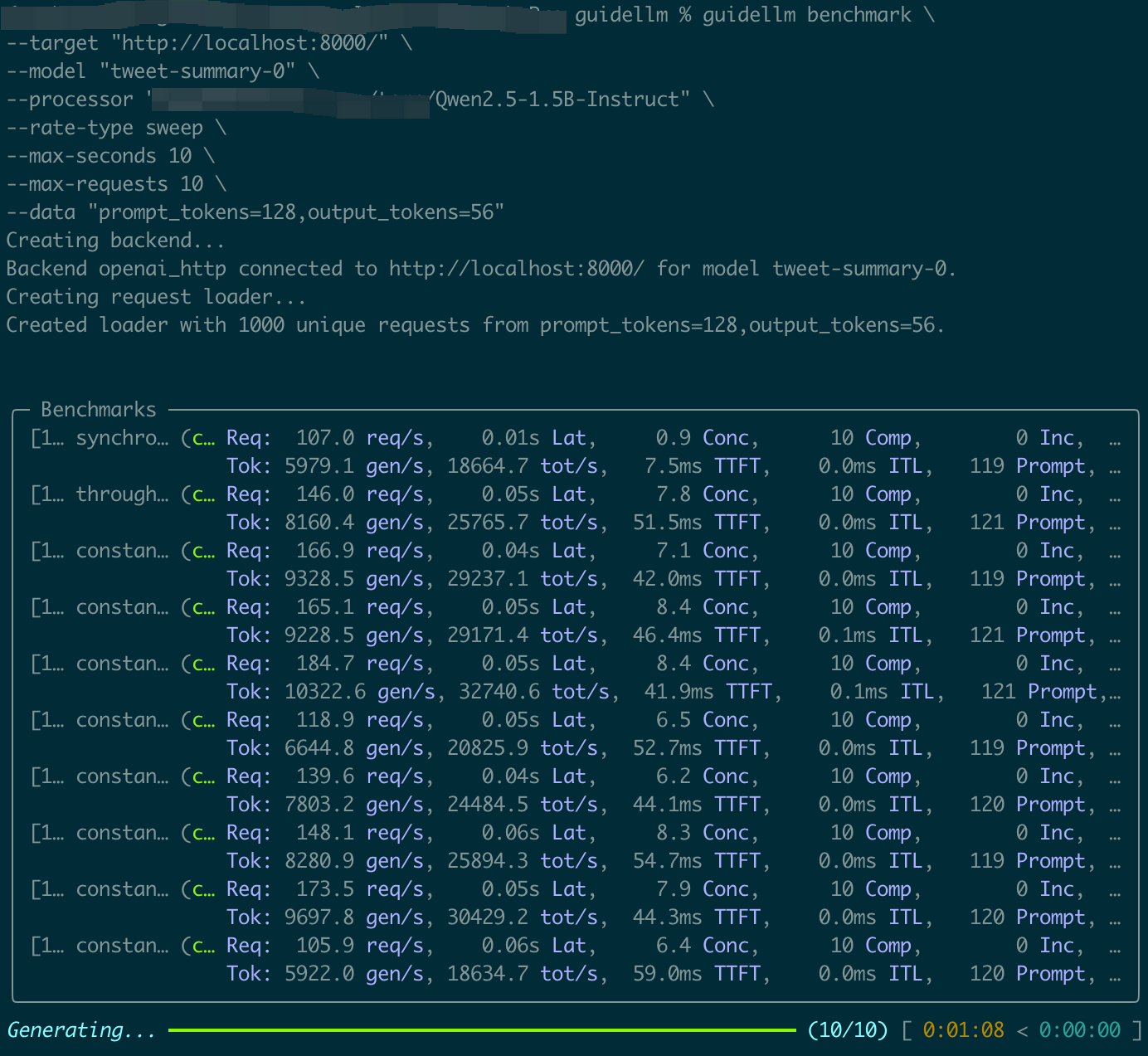
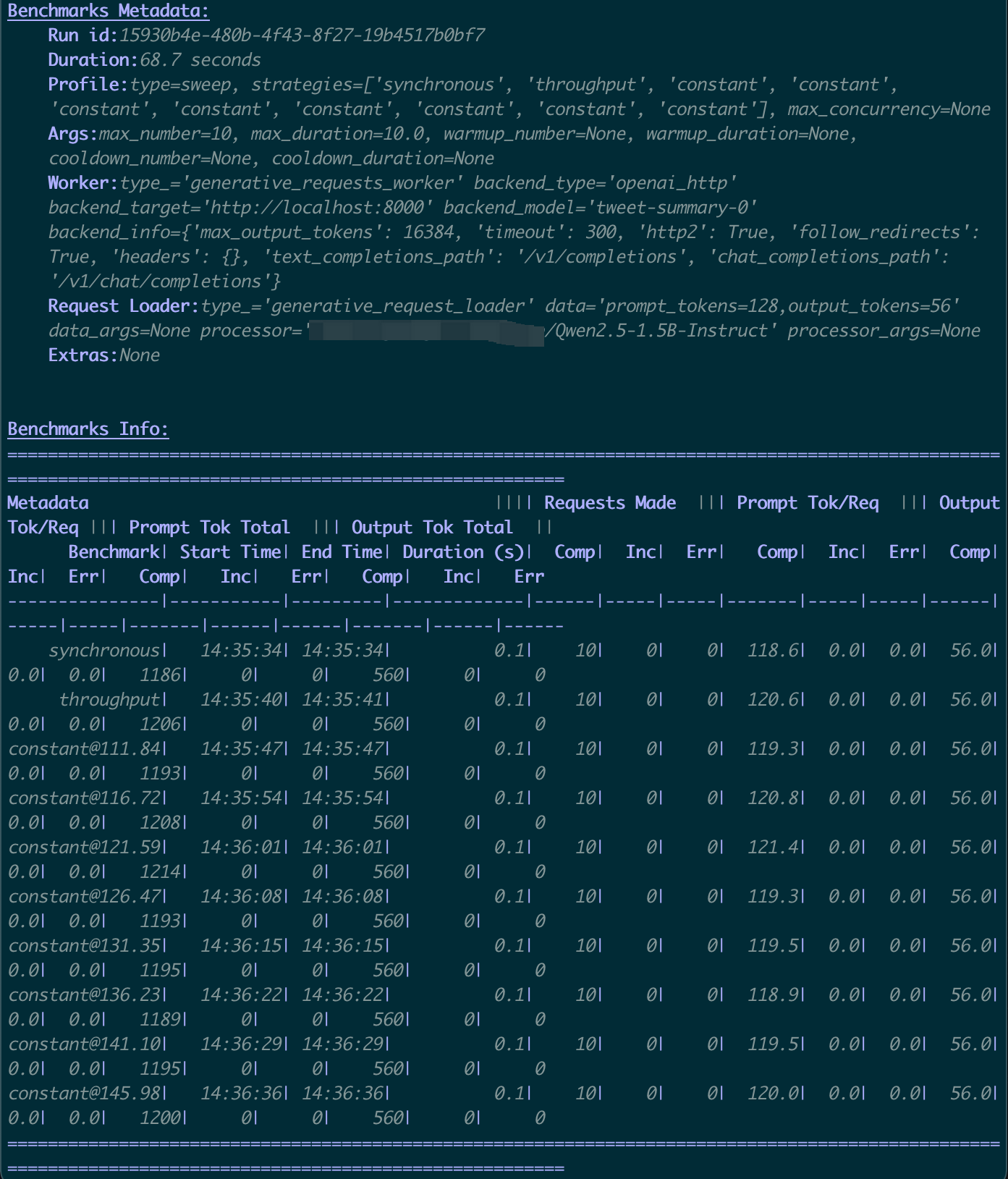
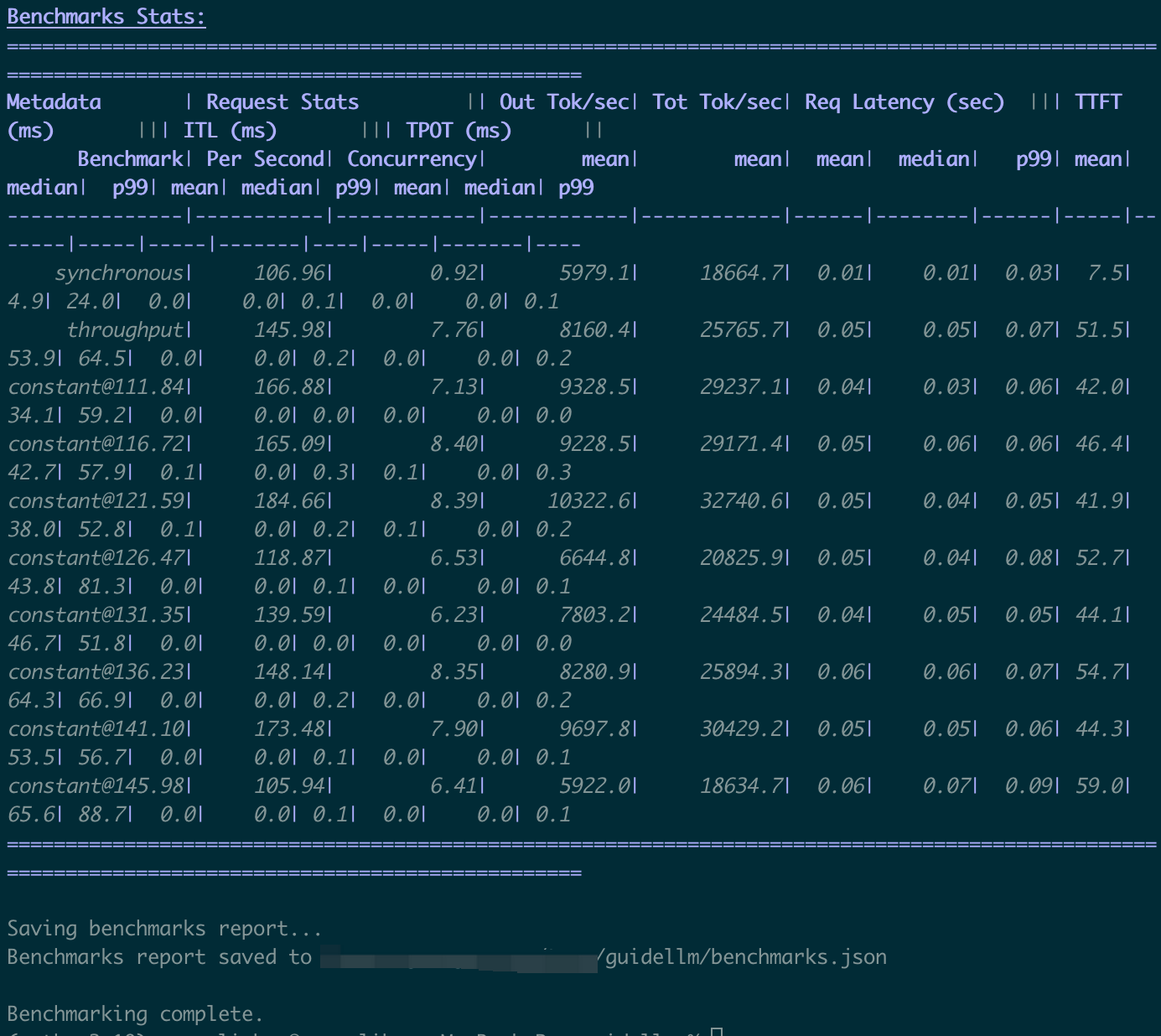
After the benchmark completes, key results are clear and straightforward, such as:
TTFT: Time to First TokenTPOT: Time Per Output TokenITL: Inter-Token Latency
The first benchmark test complete.